iOS 27 brings new customization and automation to Focus mode
Apple has updated Focus mode in iOS 27 with adjustable Control Center tiles and expanded automation options.
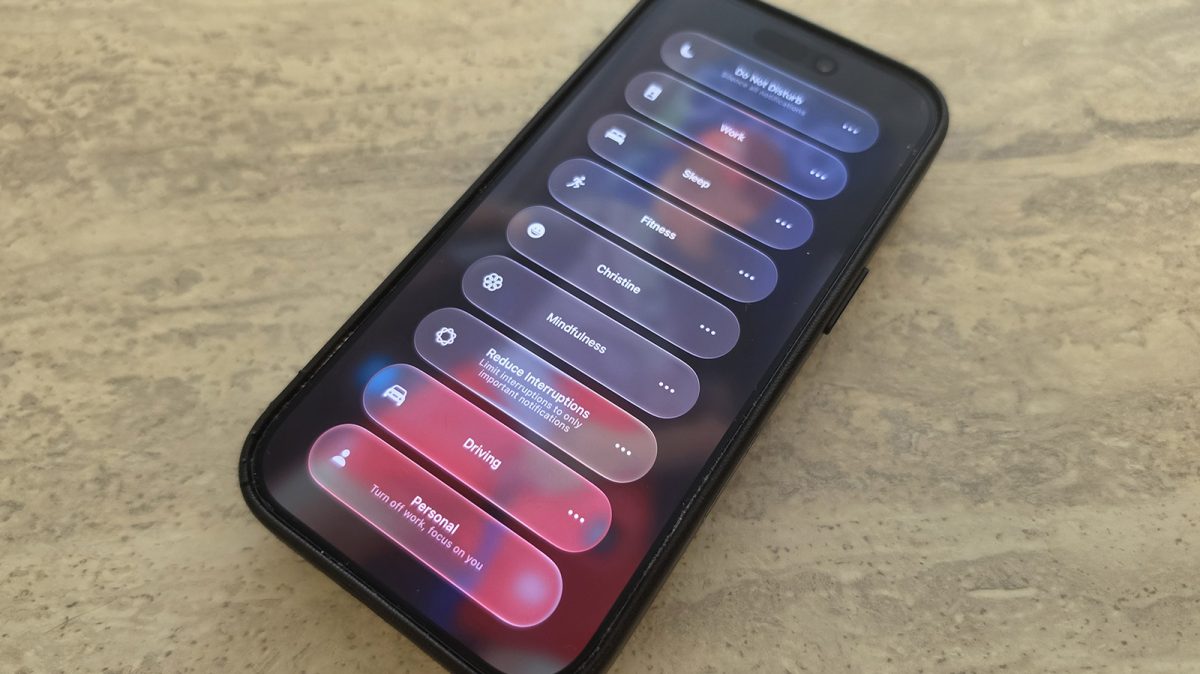
Apple has introduced a series of updates to the Focus feature in iOS 27, giving users more flexibility in how they filter notifications and automate device tasks. While not the most headline-grabbing addition in the software update, these changes provide helpful refinements to one of the iPhone's primary distraction-management tools.
As reported by Engadget, the notification-filtering tool remains a central way to control incoming alerts throughout the day. Standard presets such as Work, Sleep, and Personal are available alongside custom options. Users can mute social media apps while letting messages from relatives through, or permit specific contacts like a spouse or a manager while silencing everything else.
New Control Center layout options
Accessing the tool still requires swiping down from the top-right corner to open the Control Center and tapping the Focus panel. However, iOS 27 introduces new resizing capabilities for the interface element.
By long-pressing an empty space in the Control Center to enter edit mode, users can now drag the corner of the Focus tile. Previous versions restricted the icon to a 2x1 rectangle, but the new software allows for a compact 1x1 circle to conserve space or a larger 2x2 block for faster tapping.
Advanced automation with Shortcuts
The latest update also improves how Focus tracking integrates with the Shortcuts app, enabling more intricate device automations. According to Derek Seaman, Shortcut actions can now verify the active phone state based on which profile is currently turned on.
Natural language prompts can be used alongside Siri AI to build these automations. For instance, a user can set a trigger that launches a podcast application when Driving mode engages, or open a fitness tracker when entering a workout profile. Additionally, the Sleep profile is now supported as an automation trigger.
Conditional logic has also expanded. Shortcuts now support "Otherwise if" statements, allowing a single automation to execute different tasks depending on whether the device shifts into Sleep or Driving mode.
These incremental adjustments aim to make daily routines run more efficiently. Exploring the updated options alongside the Shortcuts app can help users get more out of their device's productivity capabilities.